If you have ever watched a classroom go completely silent not because students are bored, but because every single one of them is locked into their screen there is a good chance someone just started a blooket play session. That kind of attention is hard to earn. Blooket earns it every time.
This guide covers everything. How to get in, how to host, how to win, and what most players never figure out on their own.
What Even Is Blooket?
Blooket is a platform where you can enjoy various games. Nevertheless, calling it a quiz tool is like calling chess a board game. Technically true, but it is doing a big disservice to the tool.
In a normal blooket game, players are not just clicking answer buttons. They are collecting gold, defending towers, running a cafe, or surviving a battle royale. The questions are still there. The learning is still happening. But the game wraps around it in a way that makes students forget they are studying.
That is the magic of blooket play. It does not feel like work.
How to Get Started with Blooket
You don’t need to be a tech wizard to start with Blooket. Follow the subsequent steps.
1. Create an Account
Start by heading to the official Blooket site and signing up for an account. Though you can join games without an account, having one allows you to track progress, earn rewards, and save your Blooks. Hosts and teachers must create accounts to configure the game. Joining in is easy just add name, email and password to your account.
2. Choose or Join a Game
When a user creates an account, they can choose to host or join a game. Teachers frequently provide students with a game code to input. When playing with friends for fun, you can also create your own game and invite others. To participate in the game, enter the code given, choose a Blook, and the game will start.
3. Understand the Game Modes
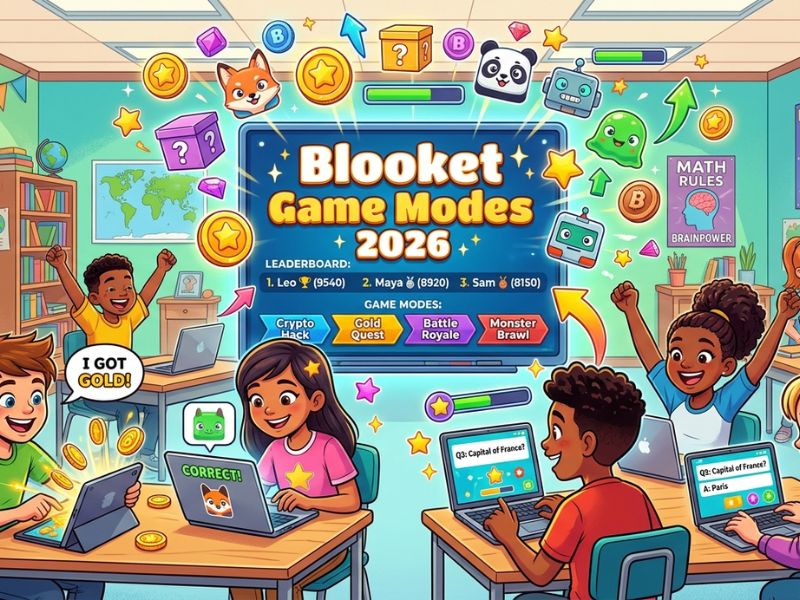
Blooket has numerous game modes that have different objectives. A few of the most liked modes are.
- Traditional: Participants respond to inquiries for rewards. Score points by playing fast and accurate in the cat dodge game.
- Tower Defense: Players defend their towers while answering questions. With the correct answer, you will make your tower stronger. While with the wrong answer, you will make your tower weaker.
- Answering queries allows your character to progress. Whoever reaches the end first wins.
- Through questions, players earn resources that can be used to build and upgrade their factories.
It’s necessary to understand the rules of each mode to play better. Take some time to play the different modes and get a feel for how each function.
4. Pick the Right Blook
Blooks are the characters that you use in game. Certain Blooks offer slight benefits in particular modes, but others are simply for looks. New players can select basic Blooks, whereas advanced players gain access to rare or premium ones. Try out various Blooks to see which one fits your playing style.
Setting Up Your Blooket Login
Before you can host anything, you need an account. The blooket login process is fast, maybe two minutes total.
Go to blooket.com. Hit Sign Up. Choose whether you will act as teacher or student. Enter your email, choose username, create password, and you are in.
Students don’t actually need a blooket login to enter a live game. They may access a room using a code and a nickname. But having an account means they can track stats, unlock characters, and practice on their own time. Worth it.
How to Blooket Host: The Full Breakdown
Being a blooket host is easier than most people expect. Here is how it actually works.
Find a Question Set
After your blooket login, head to the Discover tab. There are thousands of community-made sets sorted by subject and grade. Search for what you need. If nothing fits, click Create and build your own from scratch. Multiple choice, true/false both work fine.
Pick Your Game Mode
This is where it gets interesting. When you click Host on any question set, you will see a list of available blooket game modes. Each one plays differently. Gold Quest is chaotic and luck-based. Tower Defense is slower and more strategic. Cafe mode rewards steady accuracy. Battle Royale punishes every wrong answer.
Pick the mode that matches your goal. Review sessions? Go chaotic. Serious practice? Go steady.
Launch the Game
Set your time limit. Shuffle the questions if you want. Decide whether late joiners can hop in. Then hit Host Now.
A six-digit code appears on your screen. That is your game code. Share it. The blooket join process for your students starts the second you do.
Blooket Join: What Players Need to Do
The blooket join process is genuinely simple. Students open a browser, any browser, any device and go to blooket.com or play.blooket.com.
They click Join a Game. They type in the code. They pick a username. They choose their character. Done.
No app. No download. No setup headaches. The whole blooket join takes under a minute. That is one of the reasons teachers love zero technical friction.
Game Modes, Explained Simply
Gold Quest
Fast. Random. Fun. Every correct answer in this blooket game gives you a random reward, sometimes gold, sometimes a steal from another player, sometimes a multiplier. The randomness keeps it wild. But here is the thing: players who answer more consistently still tend to win. Speed and accuracy still matter.
Tower Defense
This one rewards actual thinking. You earn coins from correct answers, then spend them placing defensive units on a map. Knowing which units are worth buying changes everything. Casual players spend coins randomly. Smart players save up.
Cafe Mode
Serve customers by answering questions. More accuracy means faster service means more money. This blooket game mode is great for solo practice because luck barely plays a role. You perform exactly as well as you know the material.
Battle Royale
Wrong answers eliminate you. That is it. Answer correctly or you are out. High stakes, fast pace. Great for review days when you want full attention in the room.
How to Actually Win at Blooket Play
Most people just click fast and hope. Here is what actually works.
Know the material cold. This is obvious but most people skip it. If your teacher shares the question set before the game, go into Solo Mode and run through it twice. The answers will feel automatic when the live blooket play session starts.
Fast is usually better than careful usually. In most modes, speed bonuses exist for quick correct answers. Click the answer if you already know it Overthinking and doubting yourself costs more than you realize.
Read the mode you are playing. Seriously. Blooket play in Gold Quest mode calls for different behavior than Tower Defense. In Gold Quest, getting an early lead means nothing because anyone can steal your gold. In Cafe mode, the early lead grows and compounds. Adjust accordingly.
Do not waste power-ups. Some blooket game sessions include power-up mechanics. New players burn them the second they appear. Top players hold them for moments when the leaderboard is close and the game is almost over. Timing a power-up well can flip the final result.
Blooket Game Benefits
- Blooket can be educational too, apart from being enjoyable.
- Reinforcing Learning: The students consider the material while playing.
- Fast-paced games help with decision making and speed of responses.
- Encourages healthy competition- the players learn to compete in a fun environment.
- Enhances excitement to motivate kids to learn by unlocking blooks and earning points.
A Few Tips for Teachers
Hosting a solid blooket play session might not be complicated, but a few small things make a big difference.
Check your question set before class. Typos and errors in questions create confusion right in the middle of the game and kill the momentum you built.
Match the mode to the moment. If you want students competing and laughing, go Gold Quest. If you want genuine focus, go Tower Defense or Cafe.
Keep sessions to ten or fifteen minutes. Beyond that, energy drops. Multiple shorter play blooket sessions across a unit tend to work better than one long one at the end.
After the game, review the wrong answers together. The results dashboard as blooket host shows exactly which questions the class missed most. Those are your teaching moments. Students are genuinely curious about why they lost points.
Conclusion
Blooket play is not complicated. That is kind of the whole point.
The platform’s efficacy lies in its ability to reach students in the spheres where they are struggling. Teachers get engagement without having to beg for it. Students get a reason to actually care about the material.
Whether you are doing your first blooket login, running your first session as a blooket host, or looking for an edge in your next live game, the process is the same. Know the content. Understand the mode. Move fast. Do those three things and blooket play goes your way almost every time.
FAQs
What is blooket play?
It is an online quiz game platform where a host launches a session and players join using a game code. Questions are wrapped inside different mini-game formats to make reviewing content actually engaging.
Do students need a blooket login to play?
No. The blooket join process works with just a game code and a nickname. An account is optional but useful for tracking stats and practicing solo.
How does someone become a blooket host?
Create a free teacher account, pick or build a question set, and click Host. You choose a blooket game mode, set your options, and get a shareable code.
Is Blooket free?
Yes. The core play blooket features cost nothing. There is a paid plan with extras, but the free version covers everything most teachers need day to day.
What devices work for Blooket?
Anything with a browser. Laptops, Chromebooks, iPads, phones the blooket join process works on all of them. No app needed.
Can students practice alone?
Yes. Students with a blooket login can use Solo Mode anytime to run through question sets on their own. Good habit before a big review game.